Anthropic recently released Claude Agent Skills, and there's been a lot of confusion around what they actually are. I was confused at first too. At first glance it looks like we already have a way to do what Skills do. We already have CLAUDE.md files, MCP servers, and custom commands that help AI agents work the way we want them to.
Unlike traditional AI assistants that require constant re-prompting, Claude skills let you upload specialized expertise or knowledge once and have it activate automatically whenever it's relevant. Your prompts become portable across conversations and projects, a significant improvement for software development workflows.
In this blog post, I'll explain what Claude skills are, how they differ from existing features, and then we'll build a practical one together: a Shuttle deployment skill that helps Claude scaffold and deploy Rust projects correctly.
What Are Claude Skills?#
Skills are folders containing a SKILL.md file that can include three types of content:
- Instructions: Guidelines, best practices, and conventions Claude should follow
- Scripts: Executable Python or bash code Claude can run as part of workflows
- Resources: Reference documentation, templates, and examples Claude can pull from
When you start a conversation, Claude loads the headers and descriptions of your available skills into context. This doesn't take much space. The full content only gets pulled in when Claude detects something relevant to your task.
This is the key insight that makes Skills different from just dumping a bunch of context into your conversation. Context bloat is a real problem in agentic coding. We talked about this in more detail in the Claude Code Best Practices post. Every instruction, every piece of documentation, every tool definition sits in your context window whether you use it or not. MCPs and other external tools have this problem: their tool definitions consume tokens from the moment you enable them, increasing token usage even when you don't need them.
Skills solve this by being lazy. Headers only until needed. Full content on demand. This approach helps the agent's ability to maintain context over long conversations without running into limits.
Anthropic describes Skills as having four core properties:
- Composable: Skills stack together, and Claude identifies which ones are needed and coordinates their use automatically.
- Portable: Same format everywhere. Build once, use across Claude.ai, Claude Code, and the API.
- Efficient: Only loads what's needed, when it's needed.
- Powerful: Can include executable code for tasks where traditional programming is more reliable than token generation.
Composable#
You don't have to pick one skill per conversation. Say you're tackling complex tasks like building a full-stack app with a Shuttle backend, SQLx for database operations, and a Svelte frontend. Claude can activate multiple AI agents' worth of knowledge simultaneously. The Shuttle skill handles deployment patterns and resource annotations, the SQLx skill ensures your queries use compile-time verification correctly, and the Svelte skill keeps your components following best practices.
Each skill handles its domain, and Claude coordinates between them. You build small, focused skills and let them work together.
Portable#
Most of us developers work on multiple projects simultaneously, and repetitive tasks like re-configuring your agent for each project gets tedious fast. Writing a slash command for one project and then manually copying it to another is exactly the kind of routine task that should be automated. Skills solve this. Think of them like npm packages or Rust crates, but for Claude knowledge. Write once, use everywhere. The same SKILL.md file works in Claude.ai's web interface, Claude Code in your terminal, and the API.
Efficient#
Traditional approaches to customization load everything upfront. Skills take the opposite approach: only headers and descriptions load initially, which takes minimal context. Full content loads when Claude detects relevance. Ten installed skills don't mean ten skills worth of context consumption.
Powerful#
Sometimes you don't want Claude generating code. You want it running deterministic scripts that do exactly what you need. Skills can include specialized tools in the form of Python and bash scripts that Claude can execute for specific tasks, giving you a hybrid of AI flexibility and programmatic precision.
Claude Skills vs AI Agents and AI Assistants#
If you've been using Claude or other AI agents for a while, you might be wondering how Skills differ from the other ways to customize agent behavior. Here's the breakdown:
Custom Instructions (in Claude.ai web) are tied to your account settings. They apply globally but can't include resources, scripts, or structured documentation. They're also limited in length.
Projects (in Claude.ai web) give you a dedicated space with custom instructions and uploaded files, but you have to be in that specific project to use them. If you want the same behavior across multiple projects, you're copying and pasting.
Slash Commands (in Claude Code) let you trigger specific behaviors with /command, but they require explicit invocation. You have to remember to use them.
Skills are universal and automatic. You install them once, and Claude activates them based on context. You don't need to be in a specific project. You don't need to remember a command. You just start working, and if your task matches a skill, Claude uses it.
The token usage angle matters too. With Projects or custom instructions, everything loads into context at the start. With Skills, only the headers and descriptions load initially. If you have ten skills installed but only need two for a given conversation, you're not paying the context cost for the other eight.
Building a Shuttle Skill#
I hope the explanation above gave you some insight into what Skills are and how they differ from existing features.
Now, let's build something practical. Shuttle has its own Rust macros, configuration format, and deployment patterns. Claude doesn't always get these right out of the box - it might use outdated syntax, miss resource annotations, or structure the project incorrectly.
A Shuttle skill solves this by giving Claude the exact patterns it needs. When you ask Claude to build or deploy a Shuttle project, the skill activates and provides correct context.
Skill Folder Structure#
Before we dive into building, let's understand how skills are organized. A skill is simply a folder with a specific structure:
The only required file is SKILL.md - it's the entry point that defines your skill's name, description, and core instructions. Everything else is optional and loaded on-demand. You can add reference documentation, code examples, Python or bash scripts, and templates as needed. Claude will have access to all files in the skill folder, but it only loads them when the conversation actually requires that information.
From within SKILL.md, you can link to other files in your skill folder. When Claude needs more details, it follows these references automatically:
This progressive loading is where the efficiency comes in. Your skill can include detailed API documentation, complex examples, and utility scripts, but Claude only reads them when the conversation actually needs that information. Comprehensive skills don't mean bloated context.
The Skill Creator Skill#
Claude.ai already has a skill for creating skills. The skill-creator skill comes built-in, and it contains all the knowledge about how to write effective SKILL.md files, structure skill folders, and follow best practices.
This means you can literally tell Claude "create a skill for X" and it will load the skill-creator skill and use that knowledge to build your new skill. A skill that creates skills.
To make sure it's enabled, go to Settings → Capabilities and verify that skill-creator is turned on:
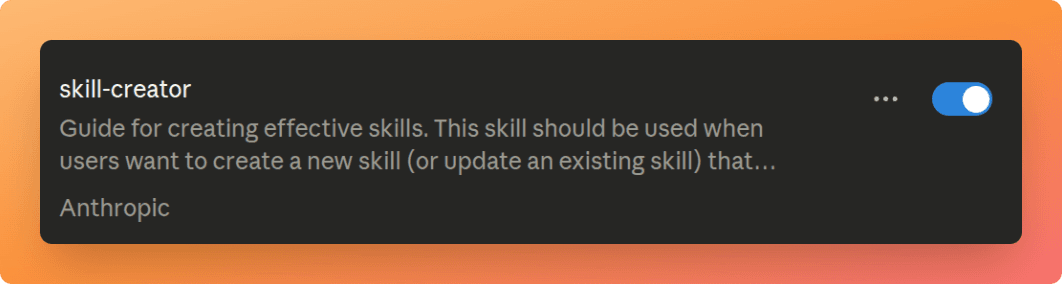 Enabling the skill-creator in Claude settings
Once enabled, you can ask Claude to create any skill you need, and it'll handle the entire process - from structuring the folder to writing the SKILL.md content with proper headers, activation patterns, and instructions.
Creating the Shuttle Skill#
Let's put the skill-creator to work. I gave Claude a simple prompt: "Create a skill for the Shuttle Rust hosting platform."
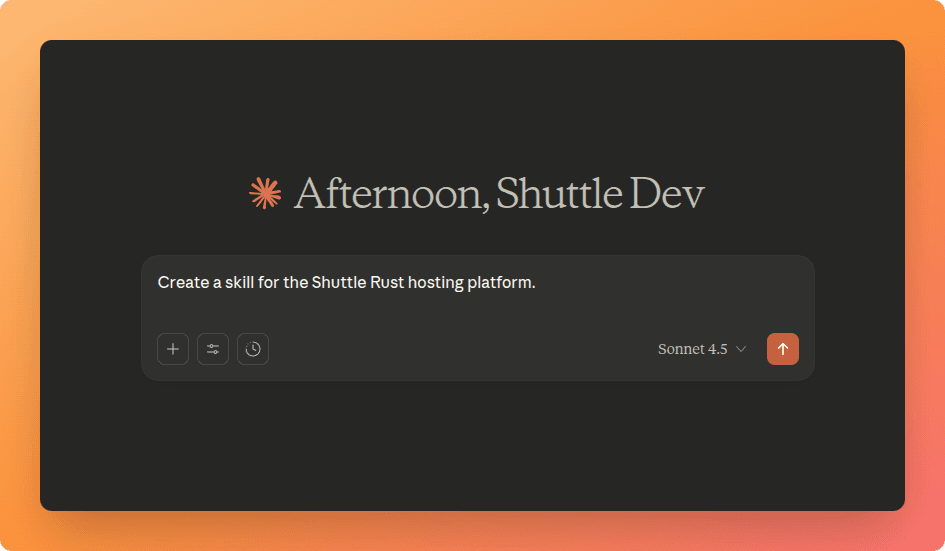 Prompting Claude to create a Shuttle skill
Claude loads the skill-creator skill and starts reading its content to understand how to build a proper skill:
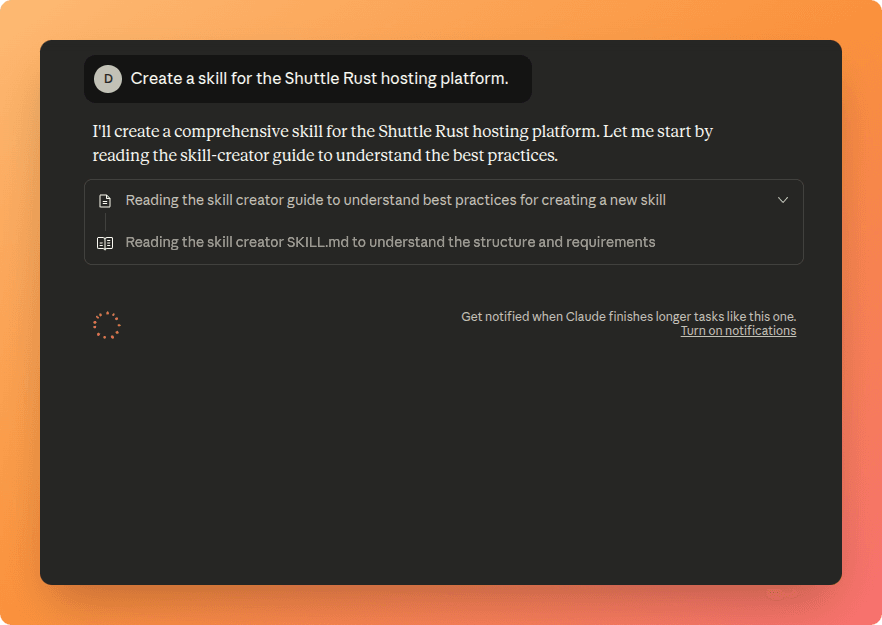 Claude reading the skill-creator guide
Then it gets to work, creating the skill structure and gathering context about Shuttle's patterns:
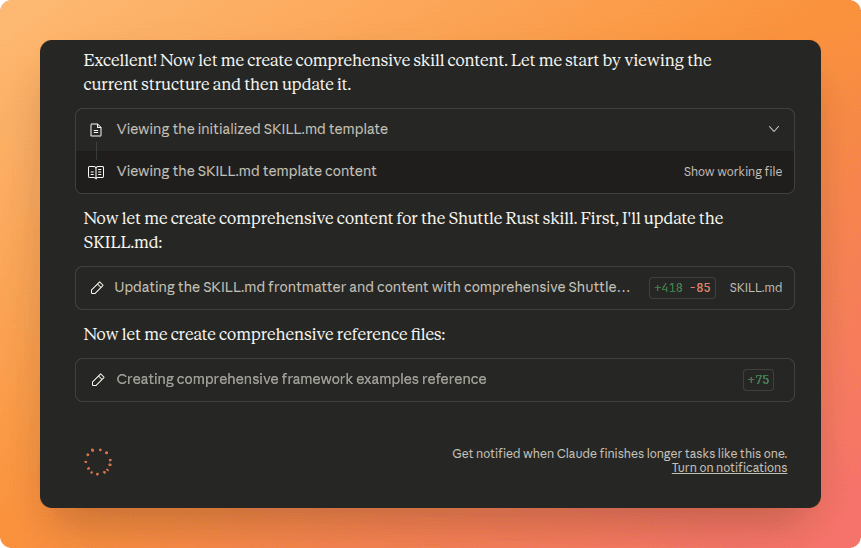 Claude collecting context for the skill
The first version was functional but verbose. I gave it more comprehensive knowledge about Shuttle's macros, resource annotations, and configuration format, then asked it to make the content more concise. The skill-creator helped refine it into something practical:
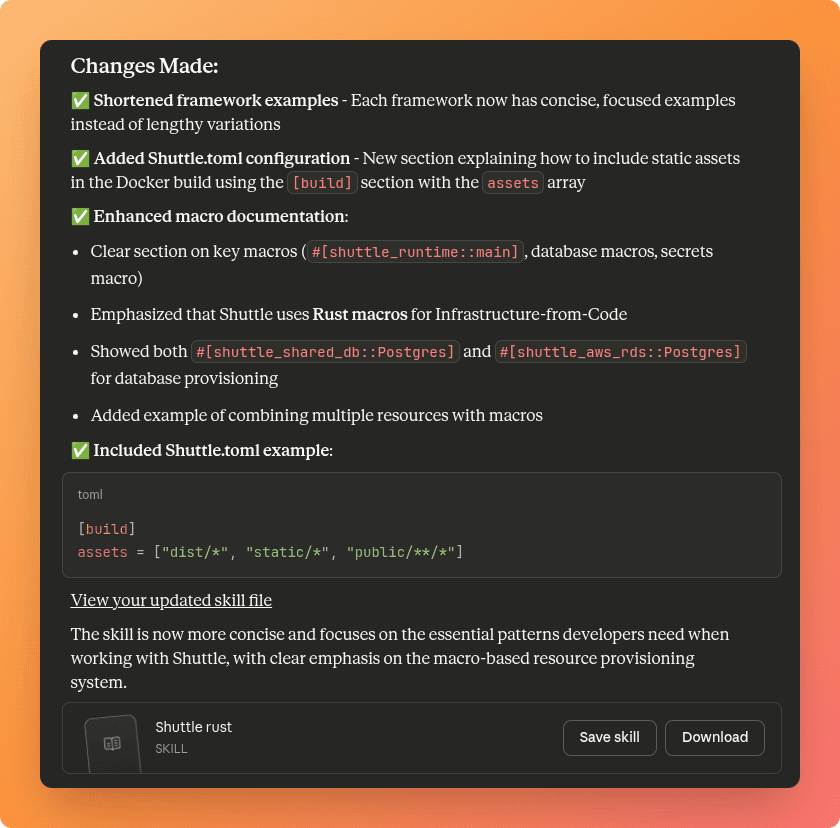 Changes made to improve the skill
The result is a focused skill that covers the essential patterns developers need when working with Shuttle - proper macro usage, resource provisioning, and project configuration:
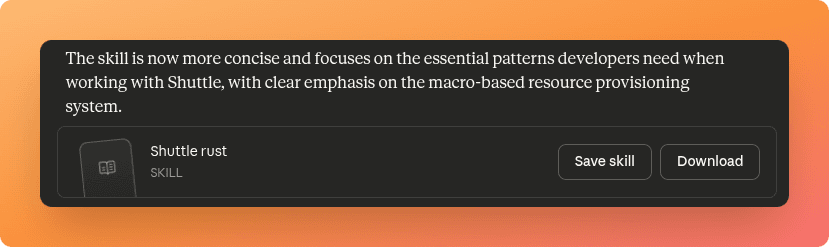 The completed Shuttle skill
The skill now knows about #[shuttle_runtime::main], how to use database macros like #[shuttle_shared_db::Postgres], and the correct Shuttle.toml configuration format. When I ask Claude to scaffold or deploy a Shuttle project, it'll activate this skill and use these patterns automatically.
You can press the Download button to get the skill as a zip file, then load it into Claude Code or any other Claude interface.
Download the Shuttle Skill
Get Claude to deploy your Rust projects to Shuttle with the right patterns
Skills can be created directly in Claude Code too, but I used Claude.ai for this because the built-in skill-creator makes the process more guided. In Claude Code, you'd manually create the folder structure and write the
SKILL.mdfile yourself.
Installing the Skill#
After downloading the skill, I created a project directory and unzipped it. The skill extracted into a clean structure:
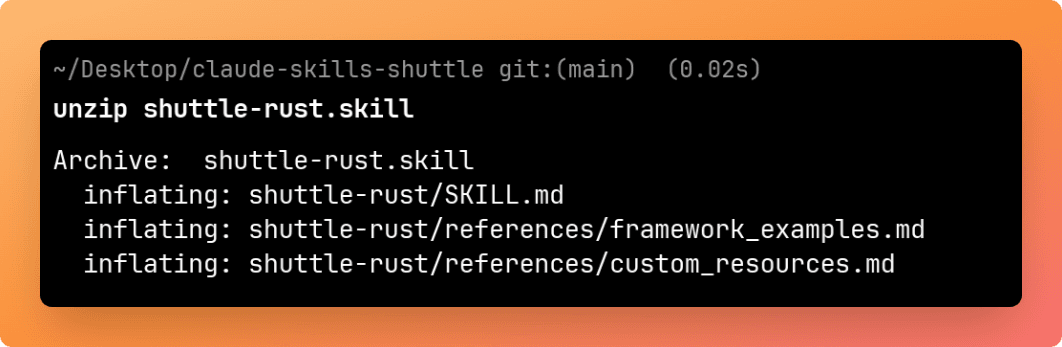 Unzipping the Shuttle skill
The shuttle skill that Claude created includes (you can add more files according to your needs):
SKILL.md- The main skill file with activation patterns and core instructionsreferences/framework_examples.md- Code examples for different web frameworks (Axum, Actix, Rocket)references/custom_resources.md- Documentation on Shuttle's resource provisioning system
This modular structure means Claude only loads the framework examples or custom resources documentation when the conversation actually needs them. The base SKILL.md provides the core patterns, and the reference files add depth on demand.
To install it, move the unzipped folder to .claude/skills/. In my case, I placed it at .claude/skills/shuttle.
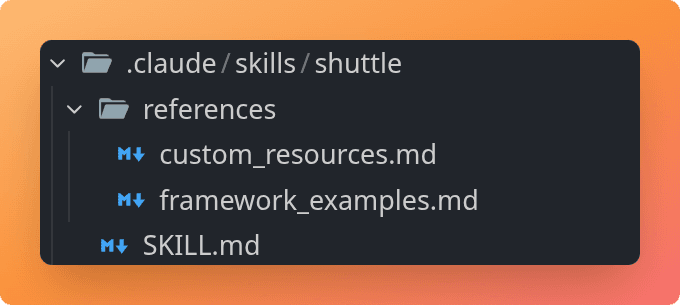 Skill installed in the .claude/skills directory
Once the skill is in the right location, Claude Code detects it automatically:
~/.claude/skills/- Personal skills, available globally across all projects.claude/skills/- Project skills, scoped to that specific project
Using the Shuttle Skill#
Let's see the skill in action. I started a new Claude Code session and gave it a straightforward prompt: "Use the Shuttle Skill to build a todo list app with a postgres database and sqlx and deploy to Shuttle."
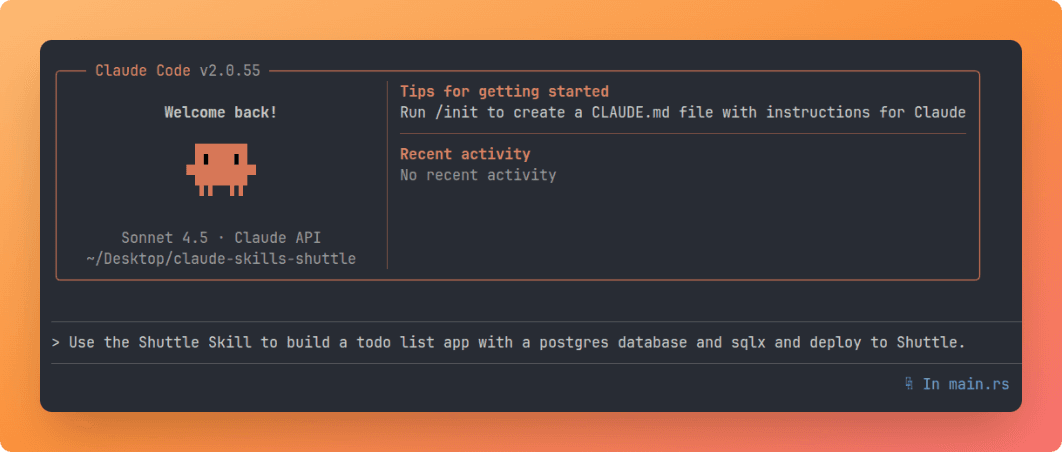 Prompting Claude to build and deploy a Shuttle app
In this case, I had to explicitly ask Claude to use the Shuttle skill. While skills are designed to activate automatically based on context, Claude doesn't always detect them on the first try and it's actually a bit conservative by default. Sometimes you need to be explicit about which skill to use.
When you reference a skill, Claude Code asks for permission to read it:
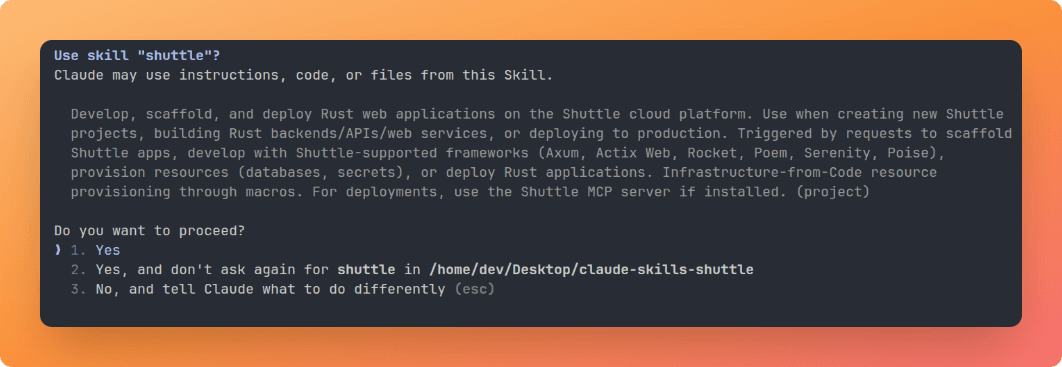 Claude Code requesting permission to use the Shuttle skill
These permission prompts are part of the security measures built into Claude Code. The agent won't read files or execute scripts without your approval. After accepting, Claude has full context on how to use Shuttle: the correct macros, resource annotations, project structure, and deployment patterns.
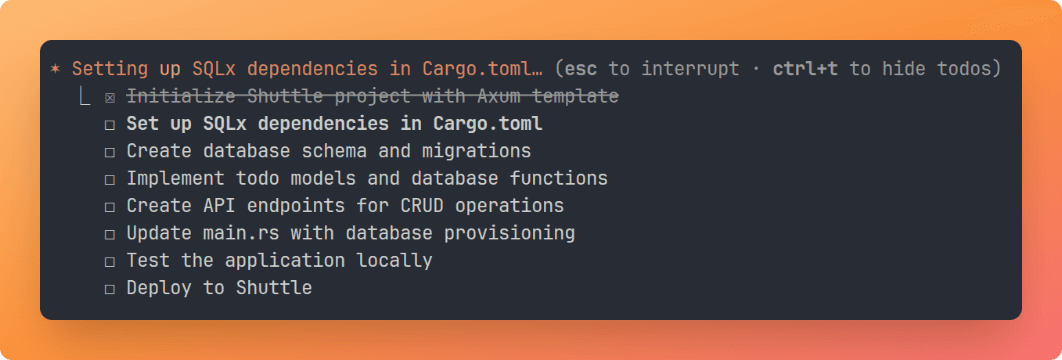 Claude Code building the todo application
Claude breaks down the task into clear steps, from setting up dependencies and migrations to implementing CRUD endpoints and deploying. Each step follows the patterns from the skill.
After the build succeeded, Claude deployed the application to Shuttle:
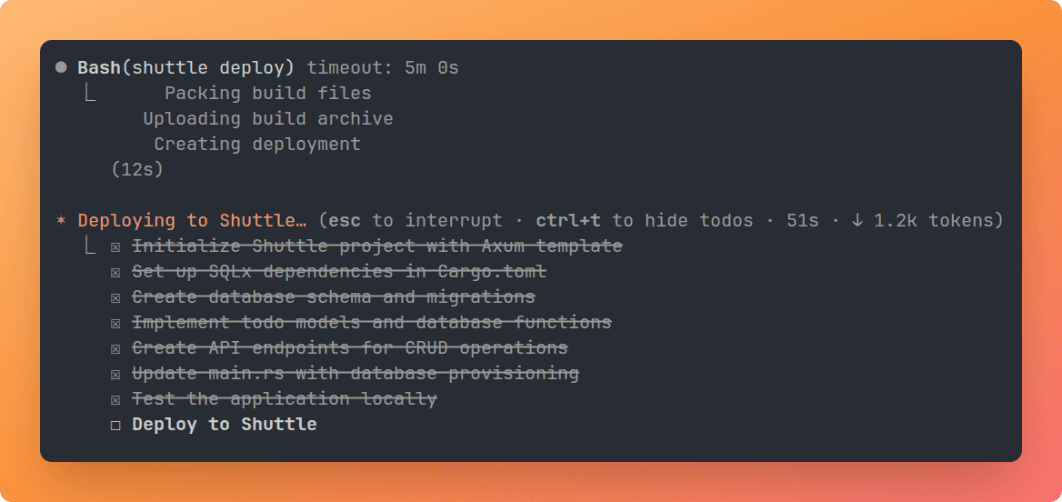 Deploying the todo application to Shuttle
Conclusion#
Skills are what turn Claude into one of the more sophisticated AI agents available today. Instead of dumping everything into your conversation upfront or manually triggering commands, you get knowledge that activates when relevant and stays quiet when it's not.
The Shuttle skill we built is a good example of where this shines. Deployment patterns, macro syntax, and resource annotations are things you need exactly when you need them, not cluttering every conversation. Build skills for your common workflows, your team's conventions, and your favorite frameworks. They stack, they're portable, and they don't bloat your context.
If you want to try Shuttle yourself, you can get started with:
Download the Shuttle skill and install it in your Claude Code or Claude.ai account to get started.
Download the Shuttle Skill
Get Claude to deploy your Rust projects to Shuttle with the right patterns
Happy building!